Poultry Flock Manager
Every bird from hatch to dispatch · iPhone, iPad and Mac
Know when to switch feed, when to replace, and when to reorder
The poultry planner built on a working Georgia farm. Record a few facts about each batch; Flock works out the rest.
iPhone, iPad and Mac. Layers, broilers, turkeys, ducks, guineas and geese. “Flock” on your home screen.
Sound familiar?
“When do the pullets go on layer feed?”
Solved: every batch’s feed changes are dated from its hatch day, and Today tells you the week it’s due.
“Are the old hens still worth their feed?”
Solved: each laying batch gets a replace date, with the day to hatch or order chicks so the new birds are laying by then.
“We ran out of feed again.”
Solved: count what’s left in pounds, drums or bags, and see the run-out date and what to order next.
“Which birds are in which coop?”
Solved: batches, coops and moves in one place, with the history kept straight when birds change coops.
“Where are the hens hiding their eggs now?”
Solved: save each spot they lay outside the nesting boxes, with a photo and how to find it, and tap +1 for every egg you find there.
“Was that the hen we treated?”
Solved: a health note for every sick bird and treatment, and Today tells you when the eggs are OK to eat or sell again.
Up and running in an evening
Add your batches
Kind, breed, hatch date and how many. Then your coops and how the birds are kept.
Record what happens
Eggs, losses, moves, health and feed, each with a note if you like. Import feed orders from a PDF or past orders from a spreadsheet.
Follow Today
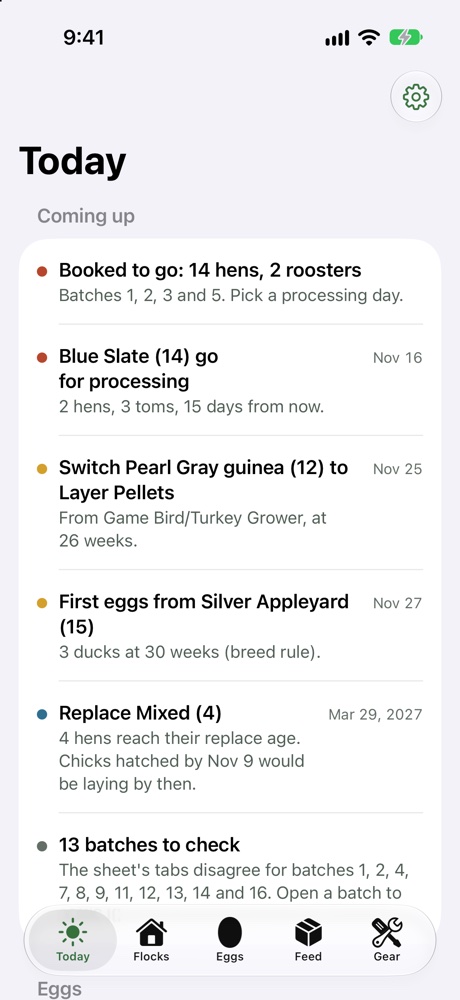
Feed switches, first eggs, replacement, processing days and feed orders, all worked out for you.
Today: the whole farm at a glance
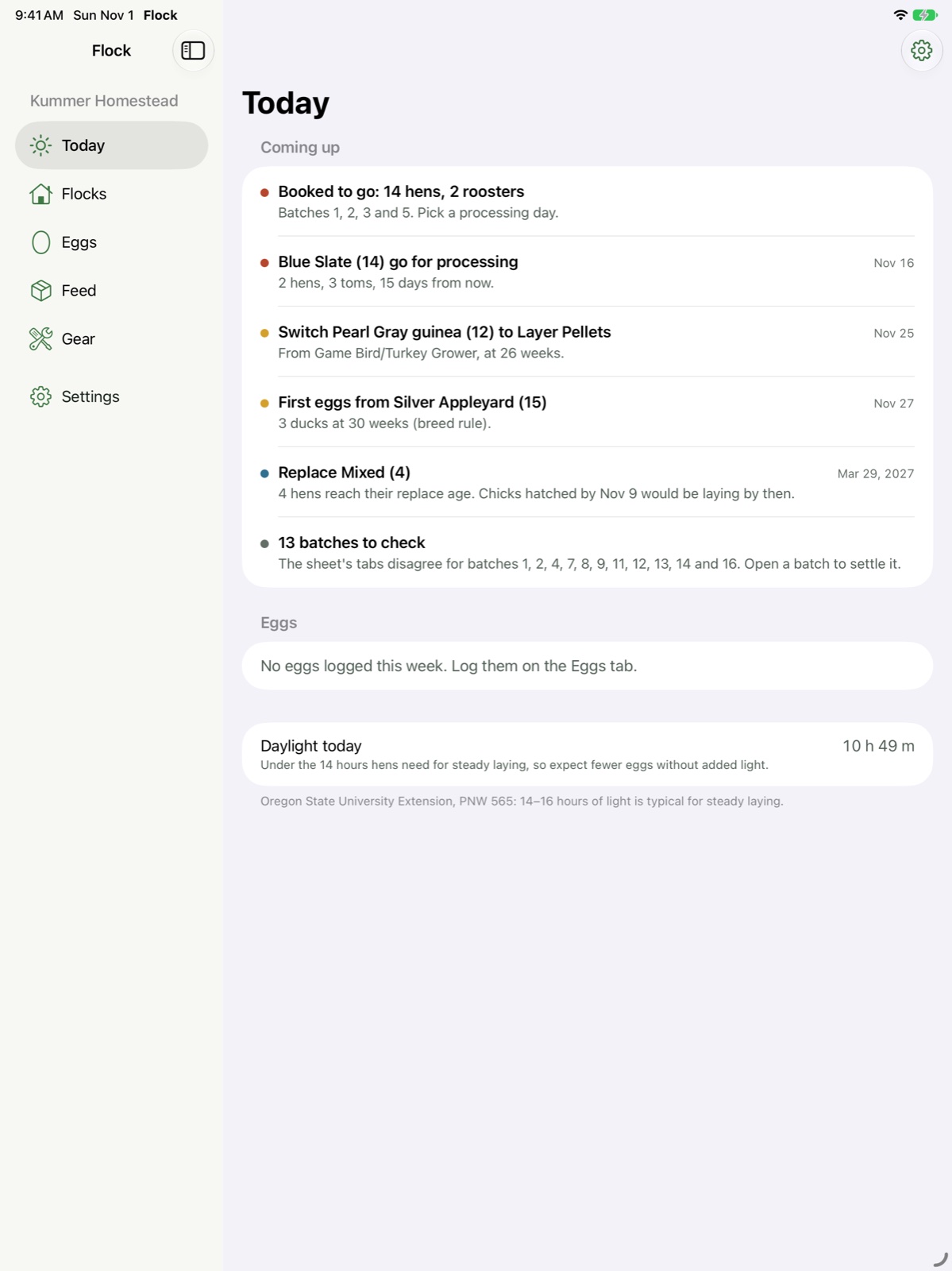
Open the app and see what needs doing and how the flock is doing. Every item has its next step right there.
Log it in a tap
Eggs collected or sold, a loss, a feed count or a supplement, right from the top of the screen.
The numbers that matter
Eggs a day, lay rate, losses, feed eaten, feed on hand, money spent, egg sales and feed cost per dozen eggs, for the last week, month, this year or 12 months.
Act on what’s coming up
Pick a day for birds you’ve booked, mark that the first eggs came, record that birds went, or put an item off for a week.
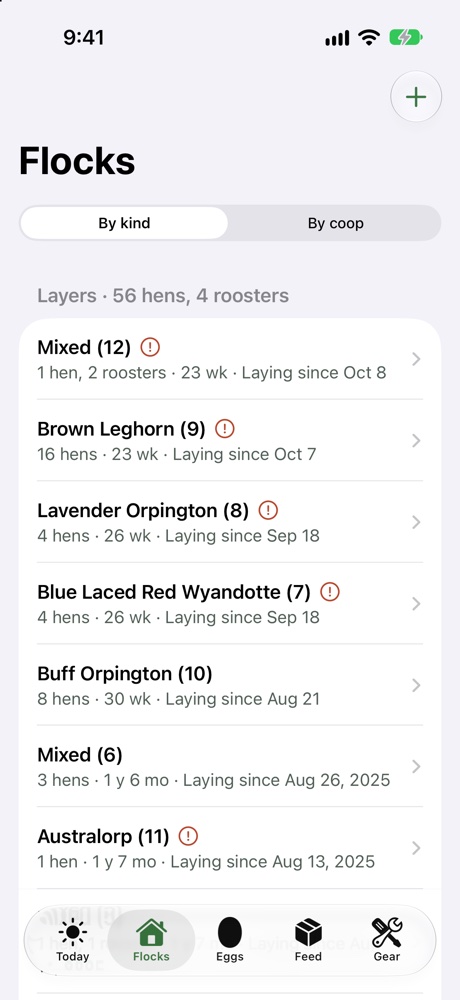
Every batch, from hatch to dispatch
Ages, laying status and what’s next for every batch, by kind or by coop.
- First eggs and replacement dates from your farm’s rules, a breed’s rule or the batch’s own
- Processing days for broilers and turkeys, and birds booked to go, with a nudge to record that they went
- Losses and moves recorded by date, so past counts stay right
- Move a batch, swap two coops or split off a few birds in a couple of taps, and fix a past move
- Each loss with its reason, predators included, and a note on what got them
- Weigh days: the average, how even the flock is, gain per day, your last batch of the breed for comparison and a forecast for processing day
- Processing days on the farm or at a processor: dressed weights, yield, birds condemned, and a yearly count against the 1,000 or 20,000 bird exemption with the records to keep
- Broiler plans worked back from your processing days: when to order chicks, brooder and shelter space for each batch, and the feed they’ll need
- Hatching in an incubator or under a broody hen: candling, lockdown and hatch day by kind of egg, hatch rate, and the new batch started in a tap
- Named birds with a leg band, photo, health notes and parents, inside their batch, with the counts kept right when one is gone
- What each batch cost and brought in: chicks, feed eaten, processing and sales, with profit and cost per bird
- A tax summary by Schedule F line, for you or your tax preparer
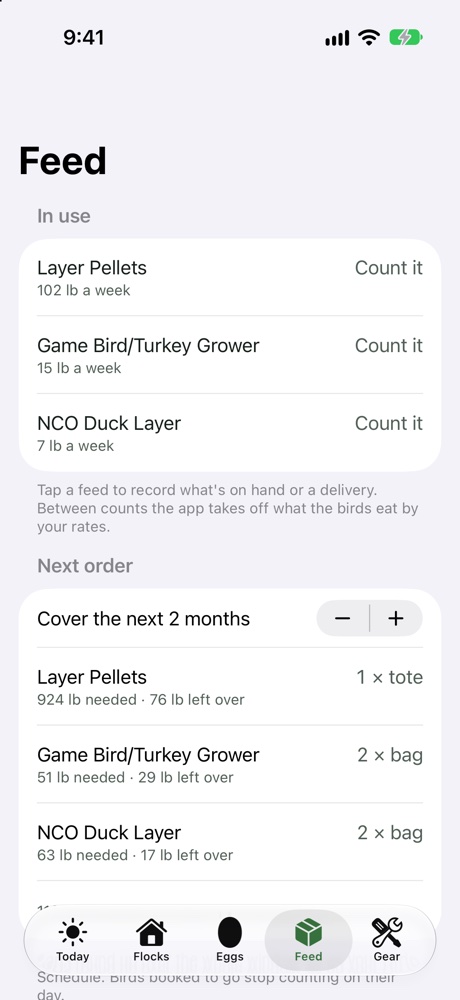
Feed that never runs out
How much each feed the birds eat a week, what’s left, and what to order.
- Feed rates by age from university extension guides, which you can change
- Pasture counted in: birds on range eat less bought feed in the growing season
- Count stock in pounds, 50-gallon drums or bags; import order PDFs with shipping and tax shared out
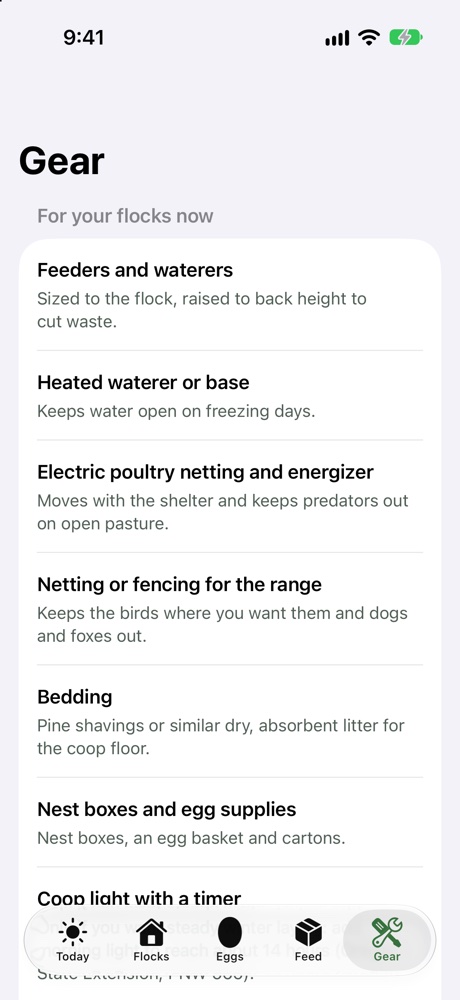
Eggs, health, supplements and gear
The everyday jobs that keep a flock laying.
- Collect eggs coop by coop: the nesting boxes, plus every spot the hens lay outside them. Or just say “Log eggs in Flock” to Siri
- Health notes for a sick bird, a treatment or signs across a coop, with photos. Enter the withdrawal days from the label or your vet, and Flock warns you if a processing day falls inside them
- Day length for your latitude, and why laying slows in the fall
- Treats kept under 10–15% of the diet, grit and oyster shell refills, and coop clean-outs or deep-litter checks
- A gear list matched to your setup, with the feeders, waterers and netting we use
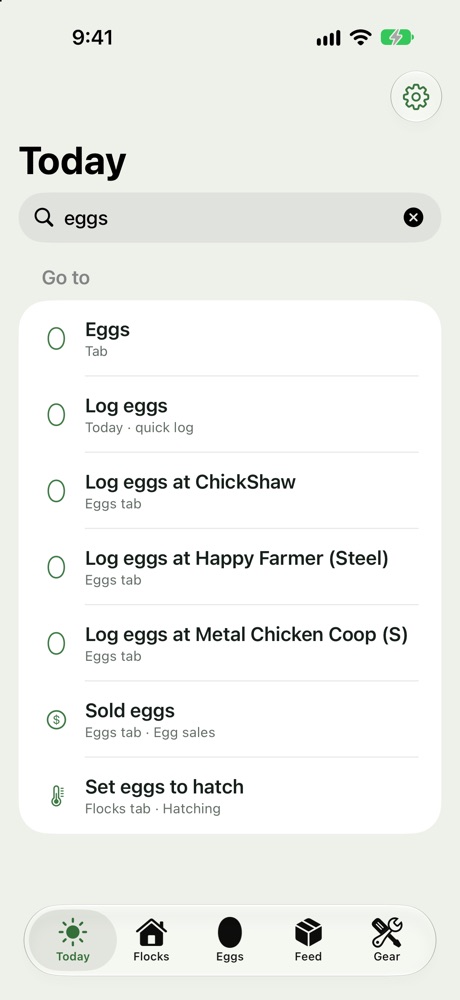
Find anything: type what you’re after
Pull down on Today and type a job, a batch, a coop, a bird or a feed. Tap a result to go straight there.
- Your own words work: “sold eggs”, “tax”, “hatching”, “count feed”
- Spelling slips are fine: “henrieta” still finds Henrietta
- Named birds by name or leg band, batches by breed, coops by name
- Or say “Search Flock” to Siri, or press Command-F on an iPad keyboard or the Mac
For the way you keep birds
Each coop or shelter has its own setup, and the app adjusts feed, chores and gear to match.
Stationary coop
Regular clean-outs or deep litter, with reminders for each.
Coop with run or part-day range
A little forage counted in during the growing season.
Full pasture or woodland
Mobile shelters with move reminders; more forage counted in.
On the iPad and the Mac too
A sidebar on the bigger screens, keyboard shortcuts, and the same farm on every device through your own iCloud. Long lists are easy to tidy: pick many records at once to change their date, move them or delete them.
Share the farm with your family
Invite family or helpers to use the farm on their own iPhone, iPad or Mac, with their own Apple Account. Everyone sees the same birds, eggs and Today list. When two people collect at the same coop, their eggs add up.
Everything
For a partner who runs the farm with you: batches, coops and settings too.
Daily work
For the kids or a farm sitter: eggs, losses, moves, feed, chores and health notes.
View only
For anyone who just wants to see how the flock is doing.
A spreadsheet records. Flock plans.
| Spreadsheet | Flock | |
|---|---|---|
| Feed changes | Worked out by hand for each batch | Dated from the hatch day |
| Replacing layers | Easy to forget | A replace date and when to start the next batch |
| Feed orders | A guess | Run-out dates and pounds to order |
| Counts after losses and moves | Overwritten | Kept by date |
| Where the hens hide eggs | In someone’s head | Saved with a photo and how to find it |
| Treated birds | A note on the fridge | The day eggs are OK to eat or sell again |
| On your phone in the coop | Tiny cells | Big buttons, and Siri for eggs |
Built on our own farm
I’m Mike Kummer. We keep layers, broilers, turkeys, ducks and guineas alongside our cattle and pigs in Chattooga County, Georgia.
I ran our flocks from a spreadsheet until it couldn’t tell me when to switch feed or when to order more, so I built the app I wanted. Feed rates and husbandry guidance come from university extension services, and every number can be changed.
Flock is a companion to Rotational Grazing Manager. Linking a flock to its Grazing group so you don’t enter it twice is on the way.
Questions
Does it fit my flock?
Layers, broilers, turkeys, ducks, guineas and geese; one coop or many; stationary, mobile or on pasture. Use the parts that fit and skip the rest.
Do I need internet in the coop?
No. Everything works offline and syncs through iCloud when you’re back in range.
How do I find everything it can do?
Pull down on Today and tap the search box: before you type, it lists everything the app can do for your farm, grouped by job. Or see everything Flock can do. Now and then Today also suggests a feature your own records say would help.
Where are my records kept?
On your iPhone and in your own iCloud account. We don’t keep a copy of your farm on our servers.
What if I get a new phone?
Sign in with the same Apple Account and iCloud brings your farm back. You can also make a backup file any time (Settings, Back up and restore), and the app keeps a daily one on your phone.
Can I get my records out?
Yes, any time, on every plan: an Excel workbook and the same tables as CSV files. Your records are yours.
Can I bring my feed orders?
Yes. Share an order email as a PDF to Flock, or paste it, and the app reads the lines, shipping and tax. Past orders come in from a spreadsheet (CSV), from any supplier.
Can my family use it too?
Yes. Invite them from Settings and they use the farm on their own iPhone, iPad or Mac, with their own Apple Account. You choose what each person can do: everything, daily work or view only. It all goes through Apple’s iCloud sharing; nothing reaches us.
Will it tell me what’s wrong with a sick bird?
No. Flock keeps the record: signs in plain words, photos, treatments and how it turned out. For a diagnosis and withdrawal times, go by the medicine’s label or your vet.
Does it work with Grazing?
Yes, on the same iPhone. Link a coop to its flock in Grazing: Flock keeps the head count, Grazing keeps the moves, and each app shows what the other knows. The two apps also share your list of storage drums. Each keeps its own records.
What does it cost?
The beta is free. Pricing will be set before launch.
Is it on Android?
Not yet. It’s iPhone, iPad and Mac for now.
Try it free with your own birds
I’m looking for poultry keepers of every size to test the beta and tell me what’s missing.
Questions or feedback: [email protected] · Privacy policy
As an Amazon Associate we earn from qualifying purchases; some gear links in the app are affiliate links.
Apple, iPhone, iPad, Mac, Siri and iCloud are trademarks of Apple Inc.